Running Laravel Queues in Production with Horizon: Timeouts, Retries and Supervisors
The queue settings that decide whether jobs run once, twice or never, in Laravel 12 with Horizon. Timeouts versus retry_after, backoff, unique jobs, batches, failure handling, and a Horizon supervisor layout that keeps slow jobs from starving fast ones.

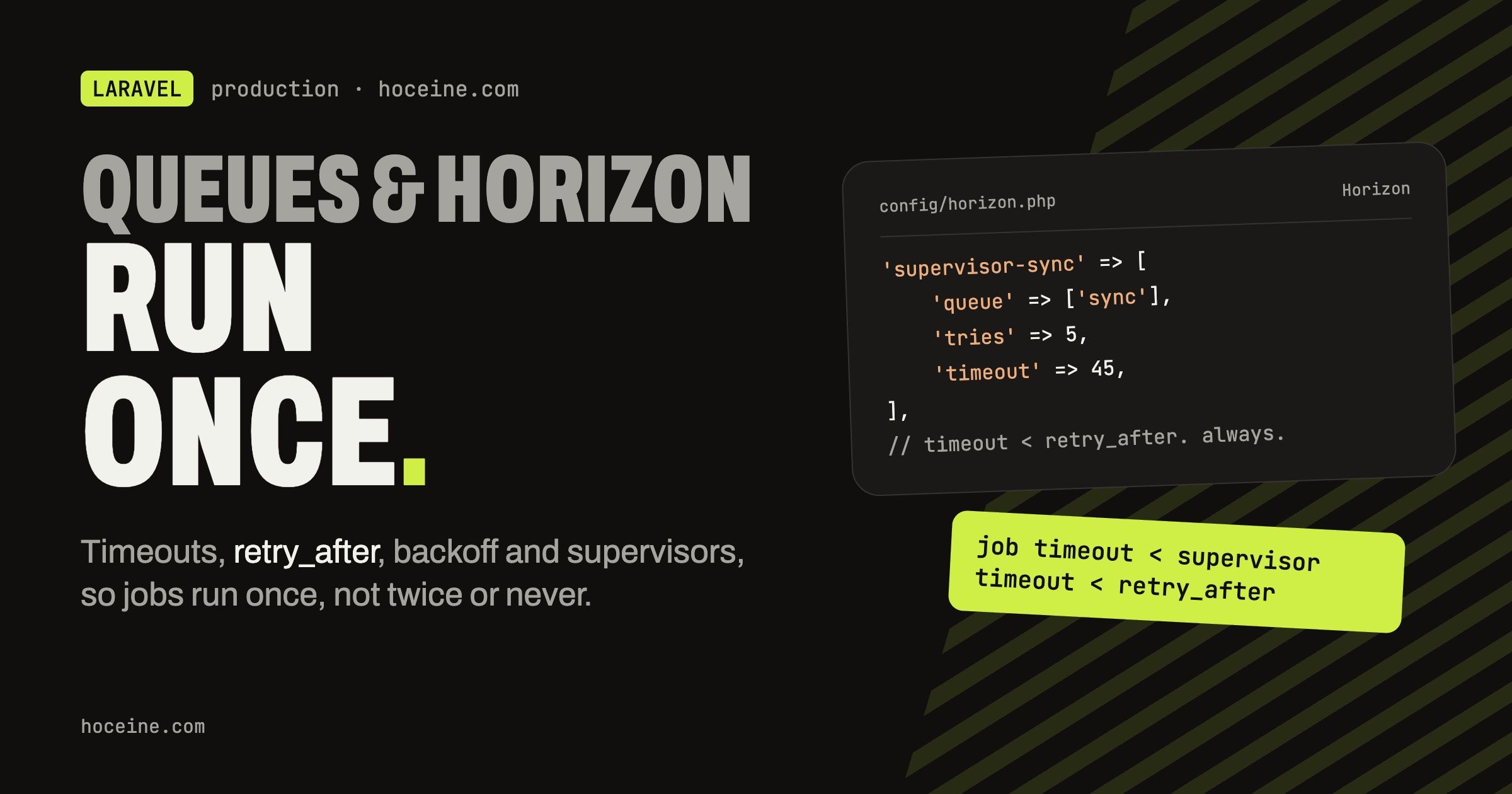
Running Laravel Queues in Production with Horizon
Getting a job onto a queue takes five minutes. The trouble starts later: an import that runs
twice because it took longer than retry_after, a webhook job that burns its three attempts on
a rate limiter before doing any work, a queue of PDF renders that holds every worker while
password reset emails wait behind it.
None of these are exotic. They come from a handful of settings that interact with each other,
spread across the job class, config/queue.php and config/horizon.php. This post goes through
those settings with one running example, then lays out a Horizon config for production.
The example: a job that syncs one product to an external marketplace API. It calls a rate-limited API, it can fail, and it should never run twice at the same time for the same product.
The three timeouts that must line up
There are three numbers, and their order matters more than their values:
- The job timeout: how long a single attempt may run before the worker kills it. Set with
public $timeouton the job, ortimeouton the Horizon supervisor. The default is 60 seconds. retry_afterinconfig/queue.php: how long the queue waits for a reserved job before assuming the worker died and handing it to another worker. The Redis connection defaults to 90.- Supervisor's
stopwaitsecs: how long the process manager waits for Horizon to finish current jobs during a restart before killing it.
The rule from the queue docs:
the timeout must be shorter than retry_after, by at least a few seconds. If a job can run for
120 seconds and retry_after is 90, at second 90 Redis hands the same job to a second worker
while the first is still running it. That is the classic "the import ran twice" bug, and no
amount of retry logic fixes it.
The Horizon docs add one more: with auto
balancing, Horizon force-kills workers that are still busy after the supervisor timeout when it
scales down, so the supervisor timeout must be larger than any job-level $timeout running
under it.
So the order is: job $timeout < supervisor timeout < retry_after, and stopwaitsecs
larger than your longest job. If one queue has jobs that legitimately run for ten minutes, give
it its own Redis connection with a bigger retry_after and its own supervisor, instead of
raising the numbers for every job.
Retries and backoff
The job class:
namespace App\Jobs;

use App\Models\Product;
use App\Services\Marketplace\MarketplaceClient;
use App\Services\Marketplace\RateLimitedException;
use Illuminate\Contracts\Queue\ShouldQueue;
use Illuminate\Foundation\Queue\Queueable;
use Throwable;

class SyncProductToMarketplace implements ShouldQueue
{
    use Queueable;

    public int $tries = 5;

    public int $maxExceptions = 3;

    public int $timeout = 30;

    public function __construct(
        public Product $product,
    ) {}

    /**
     * @return array<int, int>
     */
    public function backoff(): array
    {
        return [10, 60, 300];
    }

    public function handle(MarketplaceClient $client): void
    {
        try {
            $client->upsertProduct($this->product);
        } catch (RateLimitedException $e) {
            $this->release($e->retryAfterSeconds);
        }
    }

    public function failed(?Throwable $exception): void
    {
        $this->product->update(['marketplace_sync_failed_at' => now()]);
    }
}
What each piece does:
$tries = 5is the total number of attempts, counting releases. A job that callsrelease()uses up an attempt even though nothing threw.$maxExceptions = 3fails the job after three unhandled exceptions, even if attempts remain. That pairing lets the job be released a few times for rate limits without letting real errors retry five times.backoff()returning an array gives a growing delay: 10 seconds before the second attempt, 60 before the third, 300 for every attempt after that. A plain$backoff = 60property works for a fixed delay. Without either, a failed job goes straight back on the queue, which against a struggling API makes things worse.release($seconds)puts the job back with a delay you choose. Here the API tells us how long to wait, so we use its number instead of guessing.failed()runs once, after the last attempt. It gets a nullableThrowablein Laravel 12. Use it to record the failure somewhere a person will see it. Don't retry from inside it.
If you would rather bound a job by time than by attempts, define retryUntil() returning a
DateTime. When both exist, retryUntil wins.
Middleware that eats attempts
The example releases manually on a rate limit. Laravel also ships job middleware for this:
RateLimited, WithoutOverlapping, ThrottlesExceptions. They are good, with one catch
that the Horizon docs call out: when they release a job, that counts as an attempt.
use Illuminate\Queue\Middleware\WithoutOverlapping;

public function middleware(): array
{
    return [
        (new WithoutOverlapping($this->product->id))->releaseAfter(30)->expireAfter(120),
    ];
}
If ten syncs for the same product pile up, nine of them get released while the first one runs.
With $tries = 3 some of them fail without ever calling the API. When you use these
middlewares, raise $tries (or set it to 0 for unlimited) and use $maxExceptions to cap real
errors. expireAfter matters too: if a worker dies mid-job the lock would otherwise stay until
it expires on its own, and every later attempt gets released until then.
Unique jobs versus no overlap
WithoutOverlapping lets duplicates sit in the queue and stops them running at the same time.
Often you don't want the duplicates at all. If a product is edited five times in a minute, one
sync after the last edit is enough. That is ShouldBeUnique:
use Illuminate\Contracts\Queue\ShouldBeUniqueUntilProcessing;

class SyncProductToMarketplace implements ShouldQueue, ShouldBeUniqueUntilProcessing
{
    use Queueable;

    public int $uniqueFor = 600;

    public function uniqueId(): string
    {
        return (string) $this->product->id;
    }

    // ...
}
With ShouldBeUnique, a second dispatch is dropped while the first is queued or running. For syncs,
ShouldBeUniqueUntilProcessing fits better: the lock is released when the job starts, so an edit
made during the sync queues one more sync and the marketplace ends up with the latest data.
uniqueFor is a safety net so a lost lock does not block the product forever.
Uniqueness is implemented with cache locks, so the default cache store has to support locks. Redis does, and if you run Horizon you have Redis anyway.
Dispatching inside transactions
DB::transaction(function () use ($product, $data) {
    $product->update($data);

    SyncProductToMarketplace::dispatch($product)->afterCommit();
});
Without afterCommit(), a fast worker can pick the job up before the transaction commits and
sync the old data, or fail to find a product that was just created. You can set
'after_commit' => true on the connection in config/queue.php to make it the default, which is
worth doing on new projects.
Batches
When the user clicks "sync all products", you want progress and a single "done" notification, not
two thousand separate jobs with no relation. That is a batch. The job adds the Batchable trait
and checks for cancellation first:
use Illuminate\Bus\Batchable;

class SyncProductToMarketplace implements ShouldQueue
{
    use Batchable, Queueable;

    public function handle(MarketplaceClient $client): void
    {
        if ($this->batch()?->cancelled()) {
            return;
        }

        // ...
    }
}
use Illuminate\Bus\Batch;
use Illuminate\Support\Facades\Bus;

$batch = Bus::batch(
    $store->products()->pluck('id')->map(
        fn (int $id) => new SyncProductToMarketplace(Product::find($id))
    )
)
    ->name("Marketplace sync for store {$store->id}")
    ->allowFailures()
    ->onQueue('sync')
    ->then(fn (Batch $batch) => $store->update(['last_synced_at' => now()]))
    ->finally(fn (Batch $batch) => $store->owner->notify(new MarketplaceSyncFinished($batch->id)))
    ->dispatch();
That Product::find in a loop is fine for a sketch, but for a big store load the products in
chunks and use $batch->add() to append jobs as you go, so you don't build two thousand
models in one request.
allowFailures() is the important line. Without it, the first failed job cancels the whole
batch, which for a sync of independent products is the wrong behaviour. The then callback only
runs when every job succeeded; finally runs either way, so the notification goes there.
Batches need the job_batches table, and that table grows. Schedule
queue:prune-batches daily; it removes finished batches older than 24 hours by default, and the
--unfinished and --cancelled options clean up the rest.
Failures
Failed jobs land in failed_jobs. The commands you will use:
# list them
php artisan queue:failed

# retry one, or all
php artisan queue:retry 5
php artisan queue:retry all

# retry the failed jobs of one batch
php artisan queue:retry-batch 32dbc76c-4f82-4749-b610-a639fe0099b5

# drop records older than 48 hours
php artisan queue:prune-failed --hours=48
Horizon shows failed jobs in its dashboard with the exception and lets you retry from there.
horizon:forget deletes one failed job by ID, or all of them with --all.
One more setting worth knowing: public $deleteWhenMissingModels = true; on a job makes Laravel
discard it quietly if a serialized model was deleted before the job ran, instead of failing it
with a ModelNotFoundException. For a sync job, a deleted product means there is nothing to
sync, so that is the right call.
Horizon: supervisors by workload
Horizon replaces the queue:work processes with one
php artisan horizon process that manages workers from config/horizon.php. It needs the Redis
queue driver.
A common mistake is one supervisor listening to every queue. With auto balancing,
Horizon does not treat the order of queues in a supervisor as a priority. It shares workers by
load, so a backlog of slow jobs on one queue can take most of the workers. Separate supervisors
give each workload its own budget:
'defaults' => [
    'supervisor-default' => [
        'connection' => 'redis',
        'queue' => ['default', 'notifications'],
        'balance' => 'auto',
        'autoScalingStrategy' => 'time',
        'minProcesses' => 1,
        'maxProcesses' => 1,
        'tries' => 3,
        'timeout' => 60,
        'memory' => 128,
    ],
    'supervisor-sync' => [
        'connection' => 'redis',
        'queue' => ['sync'],
        'balance' => 'simple',
        'processes' => 1,
        'tries' => 5,
        'timeout' => 45,
    ],
],

'environments' => [
    'production' => [
        'supervisor-default' => [
            'maxProcesses' => 10,
            'balanceMaxShift' => 1,
            'balanceCooldown' => 3,
        ],
        'supervisor-sync' => [
            'processes' => 3,
        ],
    ],

    'local' => [
        'supervisor-default' => [
            'maxProcesses' => 3,
        ],
    ],
],
How this reads:
defaultsholds the full supervisor definitions; each environment only overrides what differs. Horizon merges them.supervisor-defaultusesautobalancing betweendefaultandnotifications, scaling up to 10 workers in production.autoScalingStrategyistime(by estimated time to clear the queue) orsize(by job count).balanceMaxShiftandbalanceCooldownlimit scaling to one process every three seconds.supervisor-syncusessimplebalancing with a fixed three processes. The marketplace API is rate-limited anyway, so more workers would only produce more releases. The cap is the point.- The third option is
'balance' => false, the boolean, not the string'false'. It processes the listed queues strictly in order, like plainqueue:work --queue=high,default, while still scaling betweenminProcessesandmaxProcesses. - Supervisor
triesis the default for jobs without$tries. If you leave it out, Horizon allows one attempt. A$triesproperty on the job overrides it. timeouthere follows the timeout rule above: larger than the job-level$timeoutof the jobs on that queue, a few seconds underretry_after.
The local environment does not mention supervisor-sync, so locally the sync queue has no
workers. Add it there, or use the * wildcard environment, if you want it running in
development.
The rest of horizon.php that matters
'waits' => [
    'redis:default' => 60,
    'redis:notifications' => 30,
    'redis:sync' => 300,
],

'silenced' => [
    App\Jobs\RecordPageView::class,
],
waits sets, per connection and queue, how many seconds of waiting counts as a long wait,
which is what triggers Horizon's notifications. Undefined queues default to 60, and 0 disables
the alert for that queue. Notifications go wherever you route them in
HorizonServiceProvider::boot():
Horizon::routeMailNotificationsTo('ops@example.com');
Horizon::routeSlackNotificationsTo(config('services.slack.horizon_webhook'), '#queues');
silenced hides noisy, high-volume jobs from the completed jobs list. You can also silence by
tag with silenced_tags, or implement Laravel\Horizon\Contracts\Silenced on the job.
The metrics graphs stay empty until you schedule snapshots, which is easy to forget:
// routes/console.php
Schedule::command('horizon:snapshot')->everyFiveMinutes();
The dashboard at /horizon is open only in the local environment. Everywhere else, the
viewHorizon gate in app/Providers/HorizonServiceProvider.php decides who gets in. Change the
default email list to something real before you deploy, such as a role check.
Tags
Horizon tags jobs automatically with the Eloquent models in their properties, so our job is
tagged App\Models\Product:42 and you can search the dashboard for every sync of product 42.
For anything else, add a tags() method:
public function tags(): array
{
    return ['marketplace', 'store:'.$this->product->store_id];
}
A store tag is the one I'd add first, because "why didn't my products sync" is always asked per store.
Deploying
Horizon is a long-running process, so it keeps running old code until it restarts. Every deploy ends with:
php artisan horizon:terminate
It finishes the jobs in progress and exits, and the process monitor starts it again with the new code. The Supervisor program from the docs:
[program:horizon]
process_name=%(program_name)s
command=php /home/forge/example.com/artisan horizon
autostart=true
autorestart=true
user=forge
redirect_stderr=true
stdout_logfile=/home/forge/example.com/horizon.log
stopwaitsecs=3600
stopwaitsecs is the third timeout from the start of this post: longer than your longest job,
or Supervisor kills it halfway through a deploy. On Forge you get this as a daemon, and Laravel
Cloud manages the process for you.
For maintenance windows, php artisan horizon:pause stops processing without killing workers,
and horizon:continue resumes. horizon:status tells you whether it is running at all, which
is a cheap check to put in a health endpoint or a deploy script.
What to check first when queues misbehave
When a job runs twice, compare its runtime to retry_after. When jobs fail with "attempted too
many times" without an exception, look for middleware or release() calls eating attempts.
When one queue is slow, check whether it shares a supervisor with something heavy. Those three
cover most queue problems.